Best AI Meeting Assistant (2026):
Free, No Signup Required
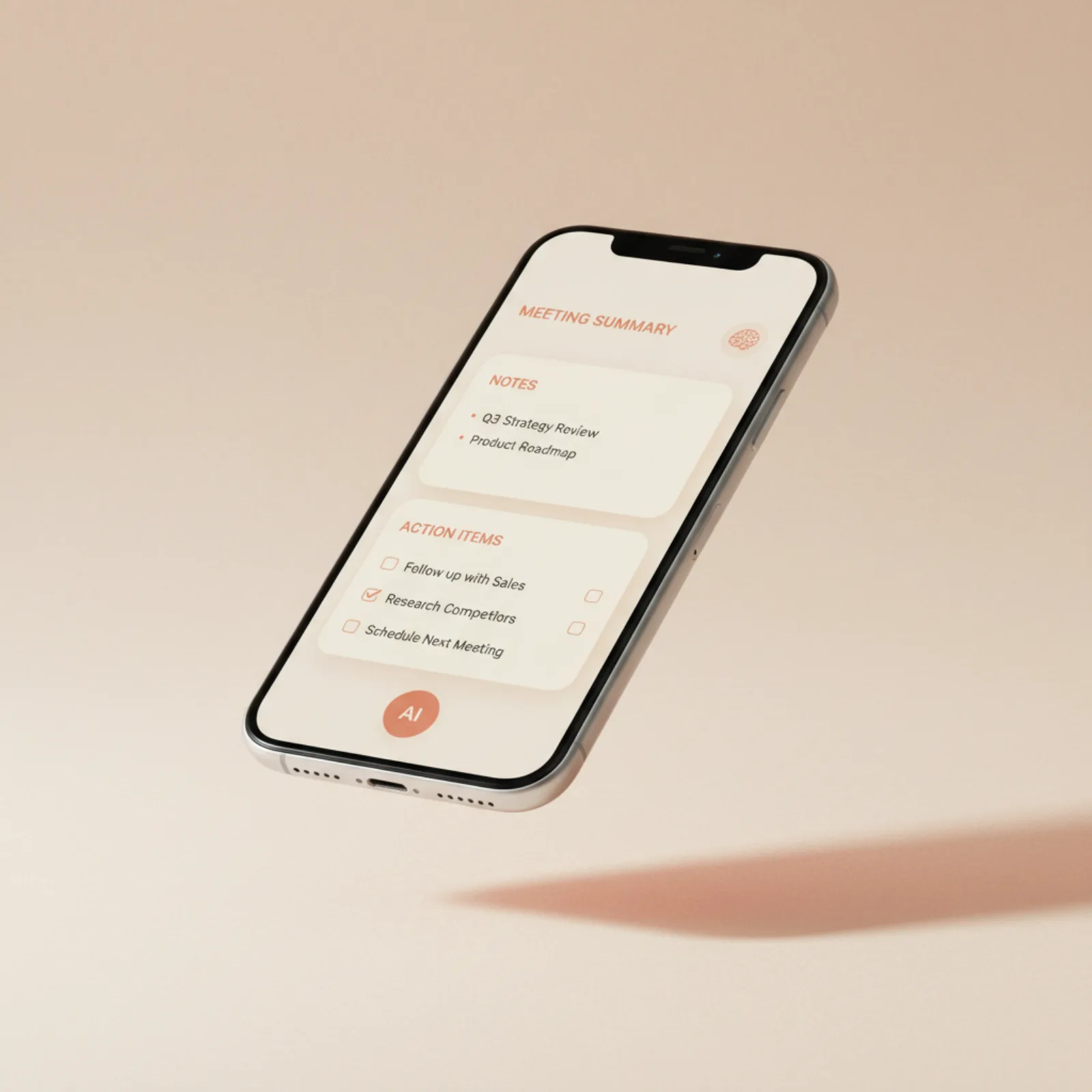
Ideas happen fast. One brilliant thought during a client call. One decision buried between notifications. And somehow… it disappears. Meetings Brief fixes that.
Free · No credit card · Built by KCF LLC
"Great ideas shouldn't disappear
after meetings end."
— Meetings Brief by KCF LLC · Newport Beach, California

Most Productivity Apps Were Designed for Desktops First.
But modern work doesn't happen at a desk anymore. Today's professionals operate in motion — and they need tools that keep up.
People work:
Meetings Brief was built specifically for this new reality — mobile-first, AI-powered, and built around how people actually work.
It's Not Taking Notes.
It's Remembering What Matters.
Most people don't struggle with writing notes. They struggle with what happens after.
Meetings Brief solves all of this →

AI That Helps Instead of Interrupts.
Meetings Brief focuses on what professionals actually need — nothing more, nothing less.
Faster Follow-ups
Turn meeting notes into action items instantly — no manual sorting.
Better Memory
AI remembers what matters across every meeting and conversation.
Fewer Missed Tasks
Auto-extract action items so nothing falls through the cracks.
Mobile-First
Built for on-the-go professionals — works perfectly from any phone.
Semantic Search
Search by meaning, not just keywords. Find exactly what you need.
Private by Design
Your notes are yours — never sold, never shared, never used to train AI.
Whether You Work Solo or Lead a Distributed Team.
If your work depends on conversations, ideas, and follow-through — Meetings Brief helps you stay organized without slowing you down.


Desktop-First Tools Belong to an Older Way of Working.
Today's professionals operate in motion: hybrid work, remote teams, global collaboration, fast-moving startups, flexible schedules. A true AI meeting assistant needs to work where people actually think and communicate — on mobile.
Less Friction
Zero complicated setup. Just open it and go.
Better Memory
AI remembers decisions, tasks, and context across every session.
Faster Execution
Turn meeting output into next steps automatically.
Clearer Communication
Shareable briefs in 6 styles, ready in seconds.
What an AI meeting assistant actually is
The phrase covers three genuinely different kinds of product, and most of the frustration people have with the category comes from buying one when they needed another.
Built into the platform. Zoom, Microsoft Teams and Google Meet all include transcription and summaries on their paid tiers. No extra vendor, no bot in the participant list, and it inherits whatever retention and compliance settings your administrator already set. Zoom retired the "AI Companion" name in June 2026, so guides written before then describe it by a name that no longer exists.
A bot that joins the call. Otter, Fireflies, Fathom and their competitors add a visible participant to your meeting which records it. This is the category most people mean by "AI meeting assistant", and it is also the one most likely to be blocked by an employer.
Capture that does not attend the meeting. Recording, voice notes, and transcribing a file you already have. No participant, no calendar integration, and it covers the conversations the other two never see.
What each one costs, and what the free tier stops doing
Every figure from the provider's own pricing page, checked August 2026.
| Tool | Free plan | What runs out |
|---|---|---|
| Fathom | Unlimited recordings and transcriptions, instant AI summaries | Action items and advanced summaries need Premium, $20/mo |
| Fireflies | Unlimited transcription, unlimited AI summaries | 400 minutes of storage per team, 20 AI credits |
| Otter.ai | 300 minutes a month | 30 min per conversation, 25 conversations kept, 3 lifetime imports |
| Zoom Workplace Basic | Summaries, AI note-taking | 3 hosted meetings a month each, 20 AI queries, 40-min meeting cap |
| Microsoft Teams free | Nothing | Recording and transcription start at Teams Essentials, $4.00/user/mo |
| Google Meet, personal account | Nothing | Transcripts need a paid Workspace edition |
Two details in that table decide more upgrades than any feature comparison.
Fireflies' 400 minutes of storage is per team, not per person — it divides as colleagues join rather than multiplying. And Fireflies Pro, at $10 per seat a month, includes exactly the same 20 AI credits as the free plan. What you buy at that tier is storage, not more AI processing. If credits were the wall you hit, Pro changes nothing.
Fathom's free plan is the most complete of the three, with one line worth reading twice: AI-generated action items are Premium. The free plan gives you the recording and a recap; the part that turns a call into a list of commitments is paid.
The question that eliminates most of the market
Will your organisation permit a bot to join the call?
Every bot-based assistant adds a participant that is visible to everyone and recorded in the participant list. A great many companies prohibit this — for confidentiality, because consent becomes legally complicated when a vendor's software is party to the conversation, or simply because the security team has not reviewed that vendor.
Ask this before comparing anything else. It removes more options than price does, and it is the most common reason a carefully chosen tool is adopted and then quietly abandoned.
If bots are blocked where you work, two routes remain: the transcription already included in the platform you pay for, and transcribing your own recordings.
What separates a good assistant from a transcript generator
Transcription is a solved problem. Every major engine performs similarly on clear speech, and they all degrade on the same three things — people talking over each other, poor microphones, and rare vocabulary like client names and internal acronyms. Vendor accuracy figures are measured on clean benchmark audio, not your Tuesday standup.
What is not solved is extraction. An hour of conversation is roughly 9,000 words. Nobody rereads that. The difference between "the team discussed next steps on billing" and "Sam is blocked on the finance API key; Priya ships the billing fix Friday" is the entire value of the category, and it is the thing worth testing with a real recording of your own team before you commit.
Judge the output on one question: would you forward it to the room without editing it? Most tools do not clear that bar.
The meetings none of them attend
Every product above assumes the meeting is a scheduled video call with a calendar invite.
For a great many people that is a fraction of where the important information appears — the client who mentions the real budget while walking you out, the decision made in a corridor, the phone call nobody scheduled, the thought you have afterwards that will be gone in ninety seconds.
No bot attends any of those. If that describes a meaningful part of your work, a bot-based assistant solves part of your problem and you will need a capture habit for the rest.
Frequently asked questions
What is the best AI meeting assistant?
It depends first on whether your employer permits a bot in the call, which eliminates most of the market for many people. If bots are allowed, Fathom's free plan is the most complete starting point, with action items behind its $20/mo Premium tier. If they are not, use the transcription built into Zoom, Teams or Google Meet, or transcribe your recordings yourself.
Is there a genuinely free AI meeting assistant?
Yes, with caveats worth knowing. Fathom's free plan includes unlimited recordings and transcriptions; Fireflies offers unlimited transcription capped by 400 minutes of storage per team. Both put the action-item extraction behind a paid tier. Transcribing a recording in your own browser has no minute or storage cap at all, because nothing is processed on a server.
Do AI meeting assistants work without joining the meeting?
Some do. Bot-based tools must be in the call. Working from a recording afterwards needs no participant, no calendar access and no vendor in the meeting — which is why it is the route that survives a strict bot policy.
How accurate are AI meeting assistants?
Accurate enough to be useful, not accurate enough to send unread. Errors concentrate predictably in crosstalk, poor microphone placement and rare vocabulary. Check the owners and dates on action items in particular — speaker attribution is a separate and less reliable process from transcribing the words.
Will an AI meeting assistant replace formal minutes?
For internal check-ins, usually. For board meetings, regulated contexts or anything with legal weight, a person needs to review and approve the document before it functions as the record. The value is in skipping the typing, not the reading.
It's a smarter
way to work.
In a world overloaded with information, the professionals who win are the ones who can capture, organize, and execute consistently. Meetings Brief helps you do exactly that — free.
Open Meetings Brief — Free →No trial · No premium · No credit card · KCF LLC